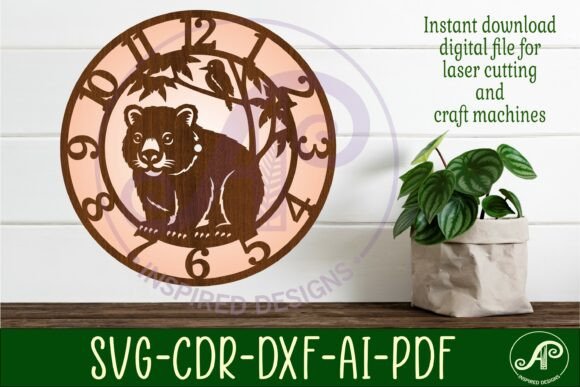
Wombat Clock Wall Clock Laser Cut File
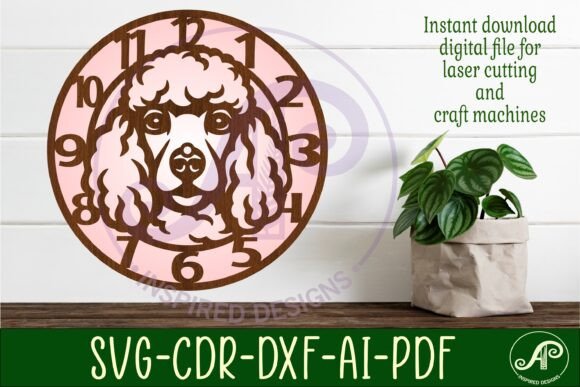
Imagine transforming a simple sheet of wood or acrylic into a charming, functional timepiece that becomes the centerpiece of a room. That's the creative promise of a well-designed digital asset, and the Wombat Clock Wall Clock Laser Cut File delivers exactly that. This digital download is a versatile toolkit for crafters and designers, offering three distinct clock face templates ready for your laser cutter, CNC router, or other craft machine.
More than just a single file, this package provides the design flexibility needed to match various aesthetics. The templates are provided in multiple formats—SVG, DXF, AI, PDF, and CDR—ensuring compatibility with popular software like LightBurn, CorelDraw, and Adobe Illustrator. Whether you're working on a personal home decor project or creating a handmade item for sale, having access to these professional file types streamlines the production process and guarantees clean, precise cuts.
Practical Use Cases for Creative Projects
The value of this laser cut file extends far beyond a simple wall clock. Consider these practical applications for your creative endeavors:
- Personalized Home Decor: Cut a clock from plywood, stain it, and assemble a unique gift for a housewarming or wedding. The recommended size of 25 to 50cm makes it a perfect statement piece.
- Small Business Merchandise: For makers and Etsy sellers, this file allows you to produce a consistent, high-quality product line of handmade clocks without designing each template from scratch.
- Educational Projects: Schools and workshops can use the templates to teach the basics of laser cutting and assembly, resulting in a satisfying, functional final product.
- Mixed Media Art: Incorporate the clock face design into larger art installations or combine it with other materials for a textured, dimensional effect.
The 8mm center hole is pre-designed to fit standard clock mechanisms, removing a common technical hurdle. This attention to detail helps make your finished piece look polished and professional.
Tips for Selecting and Using Your Design Files
When choosing a digital design asset like this, it's wise to consider a few key points to ensure it fits your project perfectly:
- Check Readability and Scale: The design is saved at 29cm (11.4 inches) wide, but it's scalable. Test a small section first if you plan to cut it significantly larger or smaller to ensure the details remain crisp and the numbers legible.
- Match the Mood to Your Material: The clock's final look will change dramatically with your material choice. A light birch plywood offers a modern, Scandinavian feel, while a dark acrylic can create a sleek, contemporary vibe. Think about the brand identity or aesthetic you want to achieve.
- Test Your Workflow: Since the files are tested on LightBurn and designed in CorelDraw, they should import smoothly. However, always do a small test cut on scrap material to verify your machine's settings for speed and power.
- Review the License: As a digital download, it's crucial to understand the terms of use, especially if you intend to sell the physical items you create. This ensures you're using the design assets correctly.
The right design file acts as a foundation, allowing you to focus on the creative finishing touches like painting, staining, or assembling. It ensures visual consistency across multiple projects if you're building a collection, which is key for strong brand recognition in a craft business.
Choosing a thoughtfully created template like the Wombat Clock design saves time, reduces material waste, and elevates the quality of your work. It’s a practical design asset that turns your creative vision into a tangible, beautiful object, whether it’s ticking on a wall in your home or featured in your online store.